PitΔDelta
Telemetry, translated for the drivers
Know what to learn — and what to repeat.
PitDelta separates pace you need to learn from pace you have already shown but do not repeat. Analyse your own laps, compare with a faster teammate or bring the crew into a room — then take one evidence-backed job into the next stint.
Drop your iRacing .ibt session file
Drag & drop or click to browse
Where to find it
Documents → iRacing → telemetrymost recent file, e.g.
gt3_silverstone_2024-11-15.ibt.ibt
1
Turn recording on in iRacing
Press Alt+L in the sim before you drive — the word telemetry appears bottom-left, above your name. There is no menu setting for this, and it resets when you close the sim.
To keep it on permanently: set it once here (sim closed), or open
To keep it on permanently: set it once here (sim closed), or open
Documents\iRacing\app.ini and set irsdkAutoLogDisk=1.2
Drive a session
Any practice, qualifying, or race. About 10 laps for full mechanism detection — 8 clean flying laps; out-lap, reference lap and off-pace laps aren’t counted.
3
Find the file
Open File Explorer →
Pick the most recent
Documents\iRacing\telemetry\Pick the most recent
.ibt — named with car, track, and date.Out-lap or formation-lap files are too short (<500 KB). If you see “session too short”, pick a longer session file.
Computed from telemetry. Gated by evidence. No evidence, no assignment.
You'll verify your email next, then the code applies automatically.
what you'll get
You don't need to read telemetry. One file tells you what's costing you time. Two files tell you what a faster driver can actually teach you.
Every report signs its own basis — the footer on every page: Computed from {laps} clean laps · Engine {major} · build {build}
one file · your own laps
Your two biggest losses — in 90 seconds
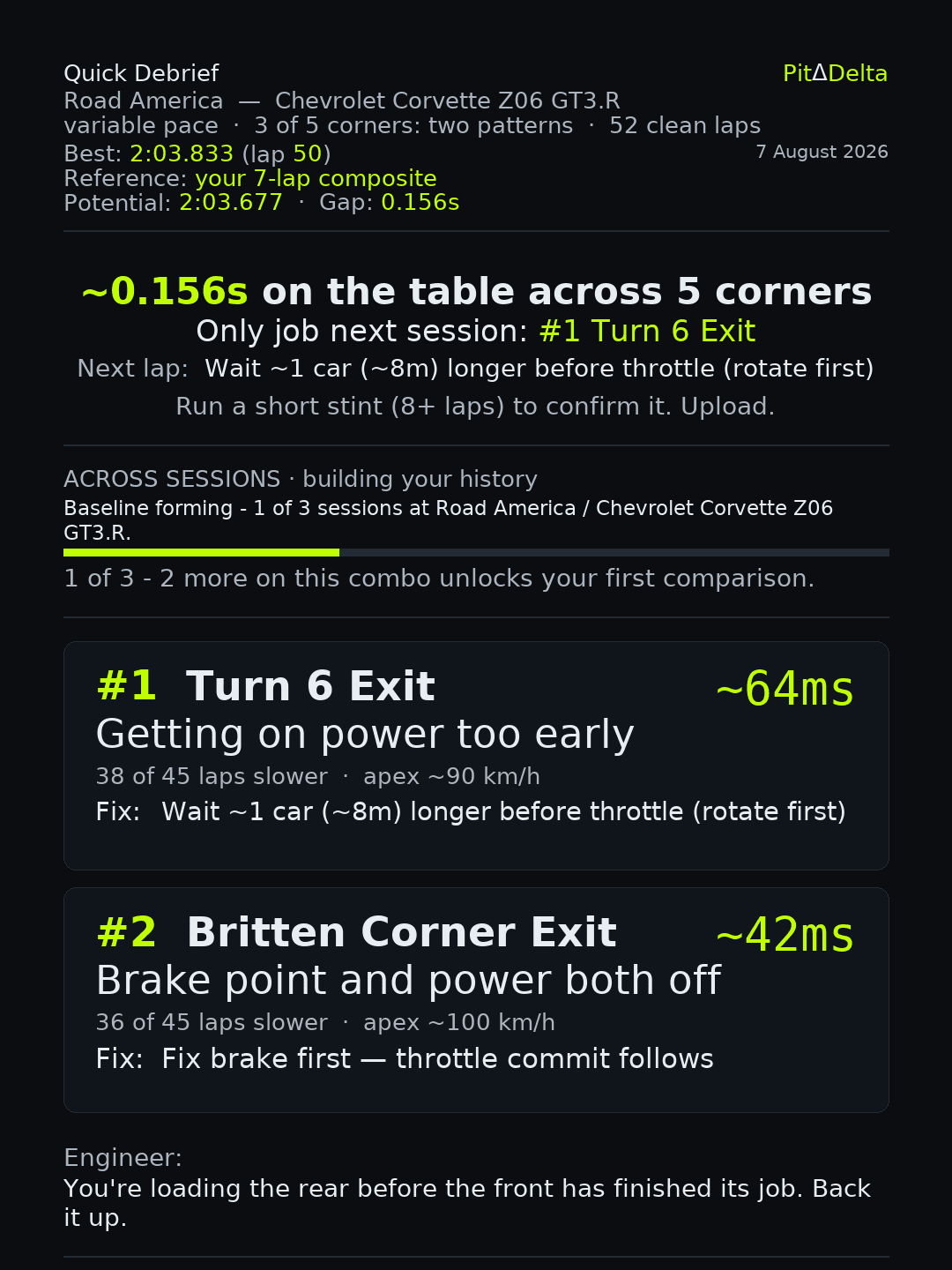
- Time losses named by corner — not buried in graphs.
- The one change to make next lap, with the metres to move.
- One image — drop it in Discord, compare with your mates.
“Brake point and power both off”actual card headline
Exactly what to change — all five corners
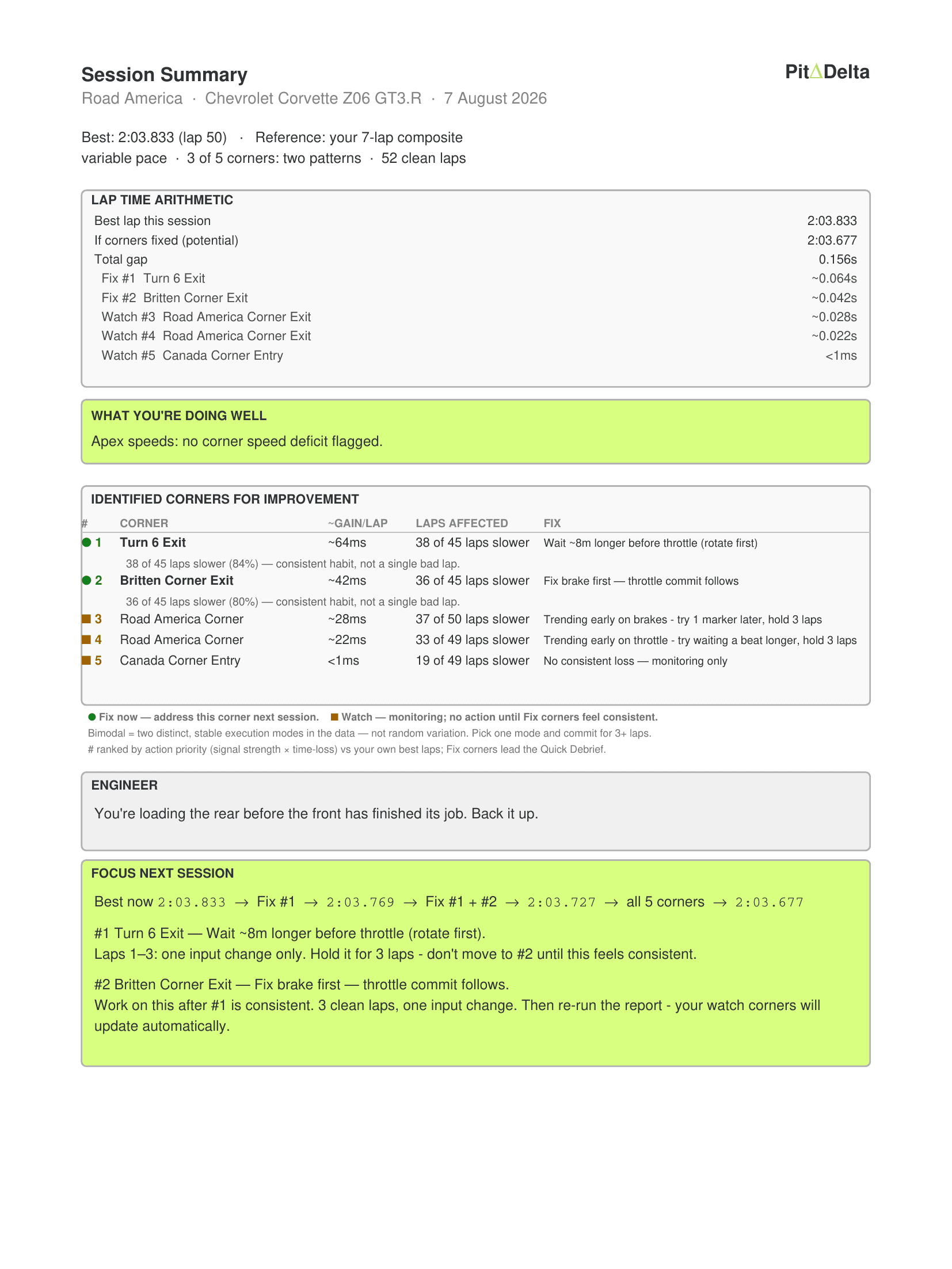
- Plain instructions: brake later here, carry more speed there.
- Every corner's gain, and the lap time after each fix — 2:03.833 → 2:03.677 on the page beside this.
- Read it in the queue. Apply it next stint.
“Brake earlier by 1 marker”actual report instruction
The habit behind it — and whether you're beating it
Driving tendency · 5 zones analysed
Profile
The Overwriter
Brakes early to stay safe. Compensates with early throttle. The corner has heard this story before.
Apex speedexcellent — no issues flagged across 5 zones
Same habitone fix covers both (~8m) — #1 and #4 share the root cause
Next sessionfix #1 only — if #4 also reacts, you've solved both corners at once
- One habit usually costs you in several corners at once.
- Fix the pattern once — gain everywhere it shows up.
- Every session joins your history — the card tracks what's actually improving.
“Same rushed-entry signal — the earlier brake point is still the target.”actual habit reminder
two files · you vs a faster driver
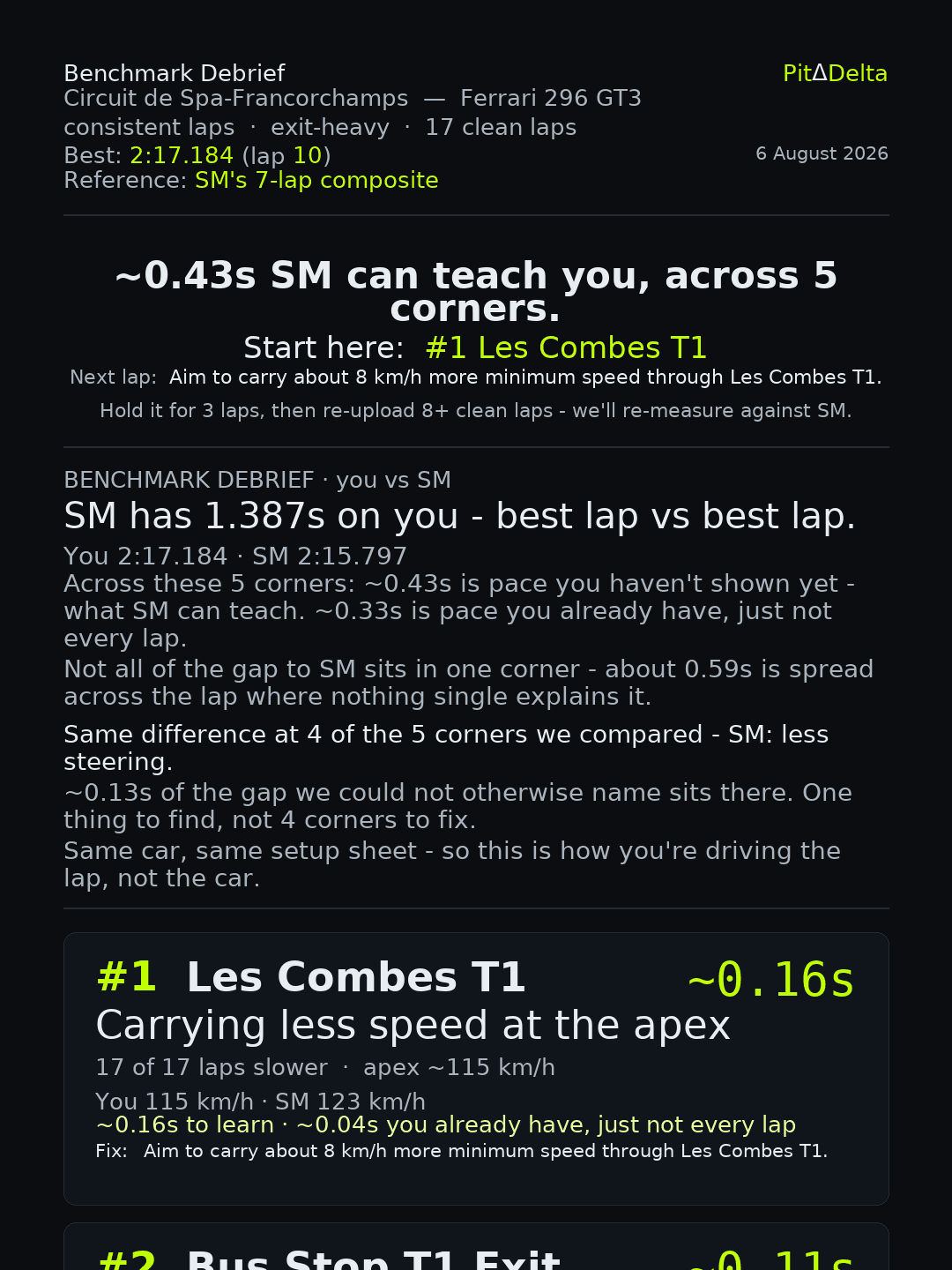
Upload his file too. Find out what he's actually doing differently.
Any .ibt from a quicker driver — mate, teammate, league rival. Same track, same car. PitDelta compares it corner by corner and separates the part of the gap you can learn from the part you already have.
- In the card beside this: SM is 1.387s up on best lap — but only ~0.43s of it is pace your best lap doesn't have yet.
- Corners ranked by what he can teach — biggest lesson first, not biggest number.
- Per corner, the actual difference: your apex speed vs his, your throttle commitment vs his.
“Same car, same setup sheet - so this is how you're driving the lap, not the car.”actual card line
“To learn = pace your best lap does not have yet. The rest of Total is pace you already have, just not every lap.”actual report definition
after you upload
01
Verify with email
Enter your email for a one-time code. No password, no profile — just a delivery address for your report.
02
Processing
PitDelta runs zone analysis, mechanism detection, and lap comparison — and with a benchmark file, splits your gap to the faster driver into the part you can learn from and the part you already have. Usually under 90 seconds.
03
Collect your debrief
Open the Quick Debrief card in your browser and share on Discord, or download your full PDF Engineering Report — with the benchmark gap on the card when you uploaded one. On Blue, Coaching Memory links the session to your history and shows what’s actually improving.
questions
Is PitDelta an AI coach?
No. The practice analysis is computed from telemetry by encoded algorithms. The only AI-generated element currently shown is the engineer’s one-line remark — it is produced from the computed summary and can never select a zone, a number or the practice assignment. Raw telemetry is not sent to the language model, and PitDelta never uses your telemetry to train AI models.
How is PitDelta different from AI coaching tools?
PitDelta’s practice assignment is computed from telemetry by encoded rules and withheld when the evidence does not support it. It looks for what repeats across clean laps before it tells you what to change — not every difference becomes advice. And the analysis is reproducible: same telemetry, same comparison context and same engine build, same analysis.
What happens when the evidence is weak?
You get told, not coached. Weak, contradictory or poorly matched evidence is withheld or qualified rather than turned into confident coaching copy — the report says “Run more clean laps — signal too small to isolate a cause yet.” The gates are encoded engine behaviour, not editorial policy.
How does a crew room compare drivers?
PitDelta checks comparability before it compares pace. Sessions with the wrong car, track or configuration, or too few clean laps, are excluded. A build mismatch or unknown setup is shown as a caveat rather than hidden. The result is a crew debrief, not a public ranking — you learn from your crew, not from an anonymous leaderboard.